termaUI: A Utility CSS Framework for Tibetan Script Web Design
Building websites with Tibetan script involves a set of challenges that general-purpose CSS frameworks do not address: stacked consonant rendering, vertical writing modes for traditional formats, font stacks that work across platforms, and layout patterns specific to Tibetan manuscript traditions. termaUI is a utility CSS framework built to handle exactly these challenges.
The library uses a tr- prefix for all class names, avoiding collisions with Tailwind, Bootstrap, or any other framework. It can be added to any project as a stylesheet and used alongside whatever CSS tooling you already have.
What termaUI Is Not
Before describing what termaUI does, it helps to be clear about what it is not:
- It is not a full design system — it provides no button styles, form elements, or color palette beyond what is needed for Tibetan text presentation
- It is not a replacement for Tailwind or Bootstrap — it is complementary to those frameworks, adding Tibetan-specific utilities they do not cover
- It is not a font CDN — it provides the CSS class declarations and font-face rules, but the font files themselves must be hosted or loaded from the appropriate source
termaUI is a focused, single-purpose library. Its scope is Tibetan script rendering and traditional Tibetan format layouts.
The CSS Modules
termaUI is organized into two base modules and six utility modules — eight files in total. Include only what your project needs, or use the pre-built termaui.css bundle that includes all of them.
Base modules (src/termaui/base/): loaded first, provide the foundation.
Utility modules (src/termaui/utilities/): composable classes you apply in markup.
Base: Font Declarations (_fonts.css)
@font-face declarations for all Tibetan typefaces in the Terma Foundry library. This file defines where each font is hosted and scopes loading to the Tibetan Unicode block:
@font-face {
  font-family: 'Jomolhari';
  src: url('/fonts/jomolhari.woff2') format('woff2');
  unicode-range: U+0F00-0FFF;
}
The unicode-range descriptor means the browser only downloads a font when the page contains matching Tibetan characters — zero cost for pages without Tibetan text.
Base: Reset (_reset.css)
A minimal CSS reset scoped to Tibetan text contexts. Rather than resetting all browser defaults (which Tailwind/Bootstrap may already handle), this file corrects specifically the properties that cause rendering problems with Tibetan Unicode:
- Resets
letter-spacingtonormalon:lang(bo)elements - Resets
text-transformtonone - Sets appropriate
line-heightfor elements expected to contain Tibetan stacks
1. Font Stacks (_font-stacks.css)
Pre-built font-family declarations for all typefaces in the Terma Foundry library. Each class sets the font for an element and its children, with a sensible Tibetan→Unicode fallback chain.
.tr-jomolhari    /* Jomolhari → Noto Serif Tibetan → system Tibetan → serif */
.tr-noto         /* Noto Serif Tibetan → Noto Sans Tibetan → system Tibetan */
.tr-machine-uni  /* Tibetan Machine Uni → Noto Serif Tibetan → system Tibetan */
.tr-ddc-uchen    /* DDC Uchen → Tibetan Machine Uni → system Tibetan */
.tr-monlam       /* Monlam Bodyig → Noto Serif Tibetan → system Tibetan */
.tr-babelstone   /* BabelStone Tibetan → Tibetan Machine Uni → system Tibetan */
.tr-monlam-ouchan1  /* Monlam OuChan → Jomolhari → system Tibetan */
.tr-qomolangma-sarchen  /* Qomolangma Sarchen → Noto Serif Tibetan → system Tibetan */
Usage:
<p class="tr-jomolhari">ཤེས་རབ་ཀྱི་ཕ་རོལ་ཏུ་ཕྱིན་པ།</p>The fallback chains ensure readable output even when the primary font is unavailable — important for users on systems without the specific font installed.
2. Pecha Layout (_pecha.css)
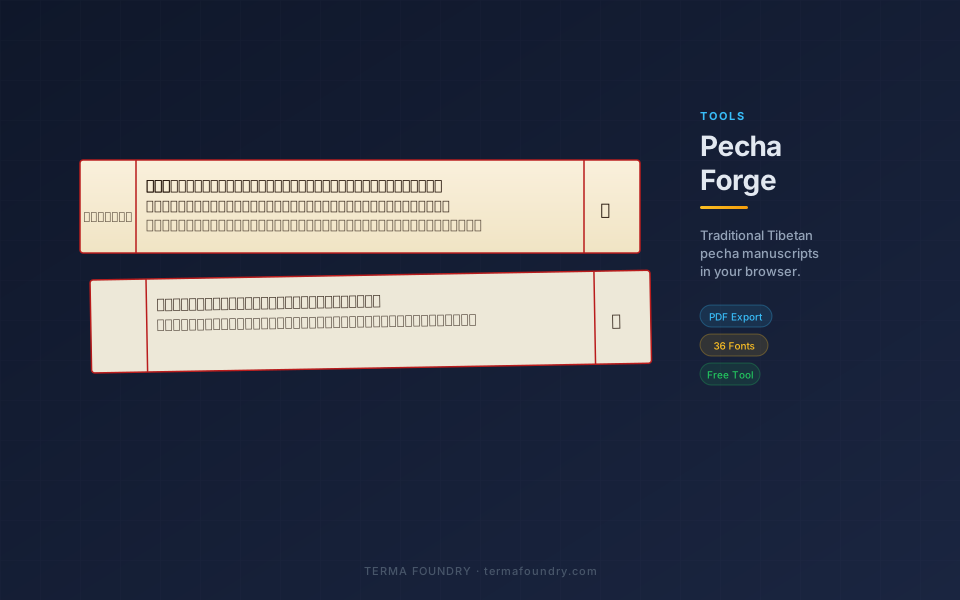
CSS classes for rendering the traditional Tibetan loose-leaf manuscript format. The layout uses CSS Grid with three columns (9% left margin, flexible center, 9% right margin) separated by vertical red rules.
.tr-pecha          /* Container: 6:1 aspect ratio, parchment background, red borders */
.tr-pecha-dark     /* Variant: gold on deep indigo, for sacred texts */
.tr-pecha-title    /* Left column: abbreviated section title */
.tr-pecha-body     /* Center column: main text body */
.tr-pecha-folio    /* Right column: page number */
.tr-pecha-title-rotated  /* Span modifier: rotates title text 90° CCW */
.tr-yig-mgo        /* ::before pseudo-element: inserts ༄༅། opening mark */
The .tr-pecha class provides the authentic three-column pecha layout in a single class with no additional markup required beyond the column divs:
<div class="tr-pecha">
  <div class="tr-pecha-title">
    <span class="tr-pecha-title-rotated">ཤེས་རབ།</span>
  </div>
  <div class="tr-pecha-body">
    <span class="tr-yig-mgo"></span>
    ཤེས་རབ་ཀྱི་ཕ་རོལ་ཏུ་ཕྱིན་པའི་སྙིང་པོ།
  </div>
  <div class="tr-pecha-folio">༡</div>
</div>
The result is a properly proportioned, bordered pecha page ready for screen or print use. See it in action in PechaForge, which uses these classes directly.
3. Guardian Fixes (_guardian.css)
Tibetan text commonly appears alongside non-Tibetan UI elements — buttons, labels, nav items, captions. General-purpose CSS frameworks often apply rules that break Tibetan rendering:
line-heightvalues too tight for stacked consonantsletter-spacingapplied to Tibetan Unicode (spacing is controlled by the font, not the browser)text-transformtrying to apply casing rules to Tibetan charactersword-breaksettings that split syllables incorrectly
The guardian module applies corrective rules scoped to elements containing Tibetan text:
[lang="bo"], .tr-text {
  line-height: 1.8;          /* accommodate consonant stacks */
  letter-spacing: normal;     /* override any framework letter-spacing */
  text-transform: none;       /* no casing transformations */
  word-break: keep-all;       /* respect tsheg-based word boundaries */
}
Add lang="bo" to any element containing Tibetan text to activate these fixes automatically, or use the .tr-text utility class.
4. Visual Effects (_effects.css)
Visual effect utilities for Tibetan text presentation, implemented purely with CSS (text-shadow, background-clip: text, filter, backdrop-filter) — no images or JavaScript required:
.tr-shadow-soft    /* Subtle text shadow for readability on textured backgrounds */
.tr-shadow-strong  /* High-contrast drop shadow for display text */
.tr-glow           /* Warm luminous glow — for gold text on dark backgrounds */
.tr-outline        /* Text stroke for high-contrast accessibility */
.tr-emboss         /* Classic embossed look for headings */
.tr-deboss         /* Inset/pressed text appearance */
.tr-neon           /* Bright glow for contemporary digital contexts */
.tr-gradient-gold  /* Gold gradient fill for ceremonial titles */
.tr-gradient-fire  /* Warm orange-red gradient */
.tr-blur-bg        /* Frosted glass background for floating text containers */
5. Stacking & Complex Script Support (_stacking.css)
Tibetan consonant stacking is one of the most demanding rendering requirements in Unicode typography. This module ensures stacks render correctly across browsers:
.tr-stack-safe   /* Extra line-height and block padding for complex stacks —
                    Sanskrit mantras, dharani, multi-level subjoined consonants */

.tr-ligatures    /* Explicitly enables OpenType features for correct stacking:
                    font-feature-settings: "liga" 1, "blws" 1, "abvs" 1
                    Required for blws (Below Base Substitution) and
                    abvs (Above Base Substitution) lookups */
The blws and abvs OpenType features are what tell a font how to compose vertical consonant stacks. Without them enabled, some browsers may render stack components as separate baseline glyphs rather than vertically composed syllables.
6. Typography Utilities (_typography.css)
Font sizes, line heights, letter spacing, and text alignment tuned for Tibetan script metrics. Standard Latin typographic scales don’t account for Tibetan vowel marks and stacked consonants, which push line height requirements significantly higher than Latin text at equivalent sizes.
.tr-text-sm    /* font-size: 0.85rem, line-height: 1.6 */
.tr-text-base  /* font-size: 1.1rem,  line-height: 1.8 */
.tr-text-lg    /* font-size: 1.3rem,  line-height: 1.85 */
.tr-text-xl    /* font-size: 1.6rem,  line-height: 1.9  */
.tr-text-2xl   /* font-size: 2rem,    line-height: 2.0  */
.tr-align-left, .tr-align-center, .tr-align-right
.tr-indent     /* text-indent for paragraph first-line */
The base font size starts at 1.1rem (slightly larger than Latin baseline) because Tibetan glyphs at 1rem can feel cramped on screen compared to Latin text at the same size.
Integration Examples
With Tailwind CSS
<!-- Tailwind handles layout; termaUI handles Tibetan text -->
<div class="max-w-4xl mx-auto p-8">
  <h1 class="text-2xl font-bold tr-jomolhari tr-shadow-soft">
    ཤེས་རབ་ཀྱི་ཕ་རོལ་ཏུ་ཕྱིན་པ།
  </h1>
  <p class="mt-4 tr-noto tr-leading-normal" lang="bo">
    གང་གི་རྗེས་སུ་འབྲང་བའི་སེམས་ཅན་ཐམས་ཅད།
  </p>
</div>
With Bootstrap
<div class="container">
  <div class="row">
    <div class="col-md-8">
      <article class="tr-noto tr-leading-normal" lang="bo">
        <p>ཤེས་རབ་ཀྱི་ཕ་རོལ་ཏུ་ཕྱིན་པའི་སྙིང་པོ།</p>
      </article>
    </div>
  </div>
</div>
Standalone (no framework)
<link rel="stylesheet" href="/termaui/termaui.min.css">

<div class="tr-pecha">
  <div class="tr-pecha-title">
    <span class="tr-pecha-title-rotated">ཤེས་རབ།</span>
  </div>
  <div class="tr-pecha-body tr-jomolhari">
    <span class="tr-yig-mgo"></span>
    ཤེས་རབ་ཀྱི་ཕ་རོལ་ཏུ་ཕྱིན་པའི་སྙིང་པོ།
  </div>
  <div class="tr-pecha-folio">༡</div>
</div>
The tr- Prefix Convention
The tr- prefix stands for “Terma” and serves three purposes:
- Collision avoidance — no conflicts with Tailwind (
text-,bg-,flex-), Bootstrap (btn-,col-,nav-), or any common utility framework - Source clarity — developers reading the markup immediately know which classes are termaUI versus other frameworks
- Scoping — all termaUI JavaScript behavior hooks also use
tr-ordata-tr-attributes, keeping the namespace clean
Browser Support
termaUI targets all modern browsers with Tibetan OpenType support:
- Chrome 90+ (best Tibetan rendering overall)
- Firefox 88+
- Safari 14+
- Edge 90+
Internet Explorer is not supported. Tibetan OpenType stacking in IE was unreliable even before IE reached end-of-life.
For users on platforms without a system Tibetan font (common on Windows without language packs installed), the @font-face declarations in the font-stacks module ensure a fallback font is always loaded.
Implementation in Terma Foundry
termaUI was built as part of the Terma Foundry platform and is actively used across its own tools:
- PechaForge — uses
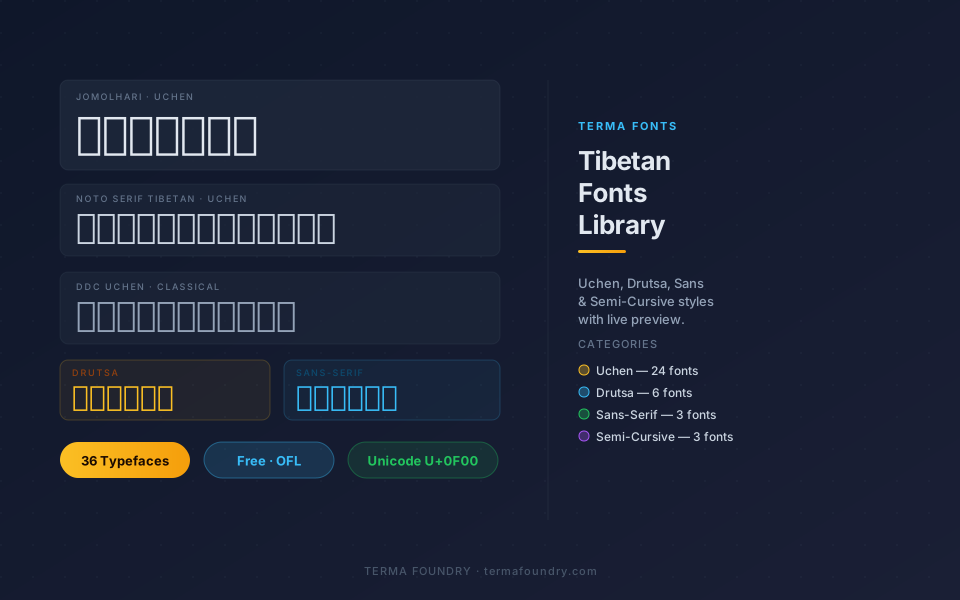
.tr-pecha,.tr-pecha-dark,.tr-pecha-title,.tr-pecha-body,.tr-pecha-folio,.tr-yig-mgo,.tr-pecha-title-rotatedfor all manuscript page rendering - Fonts Library — uses
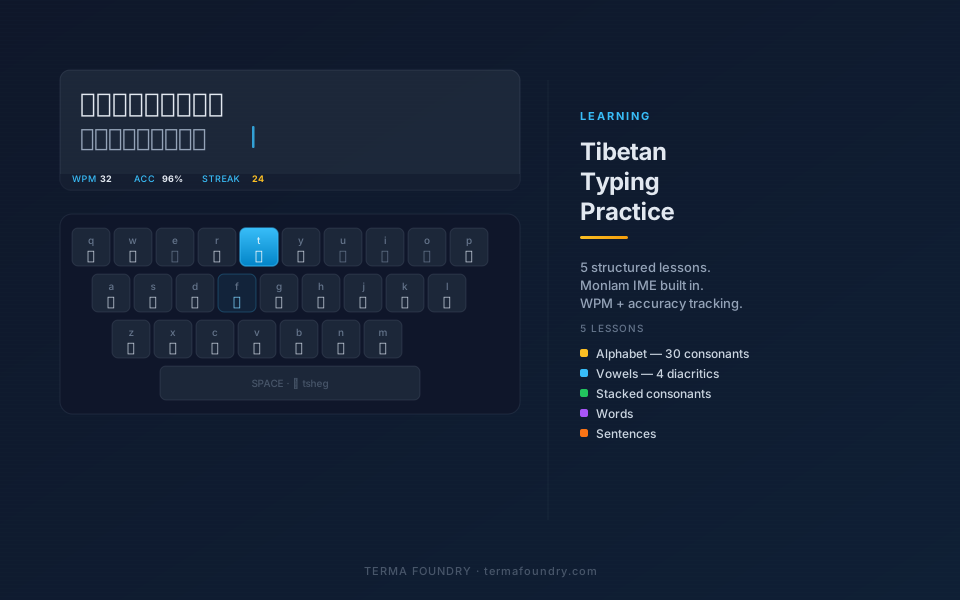
.tr-jomolhari,.tr-noto,.tr-machine-uni, etc. for font preview cards - Typing Tool — uses guardian fixes and font stacks for the practice text display
- Blog — uses
.tr-leading-normaland.tr-notofor Tibetan text passages in articles
The framework evolved from direct requirements: every module in termaUI exists because Terma Foundry tools needed it.
Frequently Asked Questions
Is termaUI open source? Yes. termaUI is part of the Terma Foundry open-source project. The CSS source is freely available for use, modification, and distribution.
Can I use just one module without the others?
Yes. Each module is an independent CSS file. Import only what your project needs. The full bundle is also available as a single minified termaui.min.css file.
Does termaUI support RTL (right-to-left) layouts? Tibetan is a left-to-right script, so termaUI is LTR-oriented. The framework does not add RTL layout utilities.
Does termaUI handle Tibetan text shaping / OpenType stacking? No — OpenType shaping is handled by the browser and the font file. termaUI provides the CSS infrastructure (font declarations, spacing, layout), but the actual glyph substitution that produces correct consonant stacks is done at the browser level using the font’s built-in GSUB/GPOS tables.
What if I need a Tibetan class that termaUI does not provide?
You can extend termaUI by adding your own tr- prefixed classes, or contribute back to the project. The modular structure makes it straightforward to add a new _module.css file without touching existing modules.
Does termaUI work with CSS-in-JS or styled-components? termaUI is a standard CSS stylesheet, not a CSS-in-JS library. In React/Next.js projects, import the stylesheet in your root layout. In styled-components projects, you can either import globally or extract individual rule blocks into your component styles.
How do I handle Tibetan numerals in CSS?
Tibetan Unicode numerals (U+0F20–U+0F29: ༠ ༡ ༢ ༣ ༤ ༥ ༦ ༧ ༨ ༩) are standard Unicode characters. Render them in any Tibetan font that covers the full U+0F00–0FFF block. In JavaScript, conversion from Arabic digits can be done with a simple character offset: String.fromCodePoint(0x0F20 + digit).
Why a Tibetan-Specific CSS Framework?
General CSS frameworks solve general problems. They are not designed for scripts with unusual aspect ratios, vertical stacking, complex Unicode glyph composition, or manuscript-derived layout formats. Using Tailwind or Bootstrap for a Tibetan website is entirely viable — but you will still need custom CSS for the Tibetan-specific parts.
termaUI is that custom CSS, extracted, documented, and made reusable. Instead of every Tibetan web developer reinventing the same line-height fix or font-stack declaration, termaUI provides tested, production-ready implementations that can be dropped into any project.
The framework is not complete — Tibetan web design has needs that termaUI does not yet address. But it reflects current production requirements from Terma Foundry’s tools, which means every included module has been tested against real usage rather than hypothetical scenarios.
Related Articles
- PechaForge: Create Traditional Tibetan Pecha Manuscripts — See termaUI’s
.tr-pechalayout classes in a full production tool - Tibetan Fonts Library: 36 Free Web Fonts — The font collection that pairs with termaUI’s font-stack utilities
- Learn to Type Tibetan: Free Online Practice Tool — The typing tool that uses termaUI’s guardian and typography utilities
termaUI documentation and source are available at termafoundry.com. The framework is used across all Terma Foundry tools.